
Atölyen
cebinde.Your workshop,
in your pocket.
MakerOS; ARM64 tabanlı, Pi 4 uyumlu kartlar için bağımsız ve açık kaynaklı bir Linux işletim sistemi. Web masaüstü, Rust sistem servisleri, A/B güncelleme ve yerel yapay zekâ asistanı tek bir bütünde. MakerOS is an independent, open-source Linux operating system for ARM64, Pi 4 compatible boards. Web desktop, Rust system services, A/B updates and an on-device AI assistant in one cohesive system.
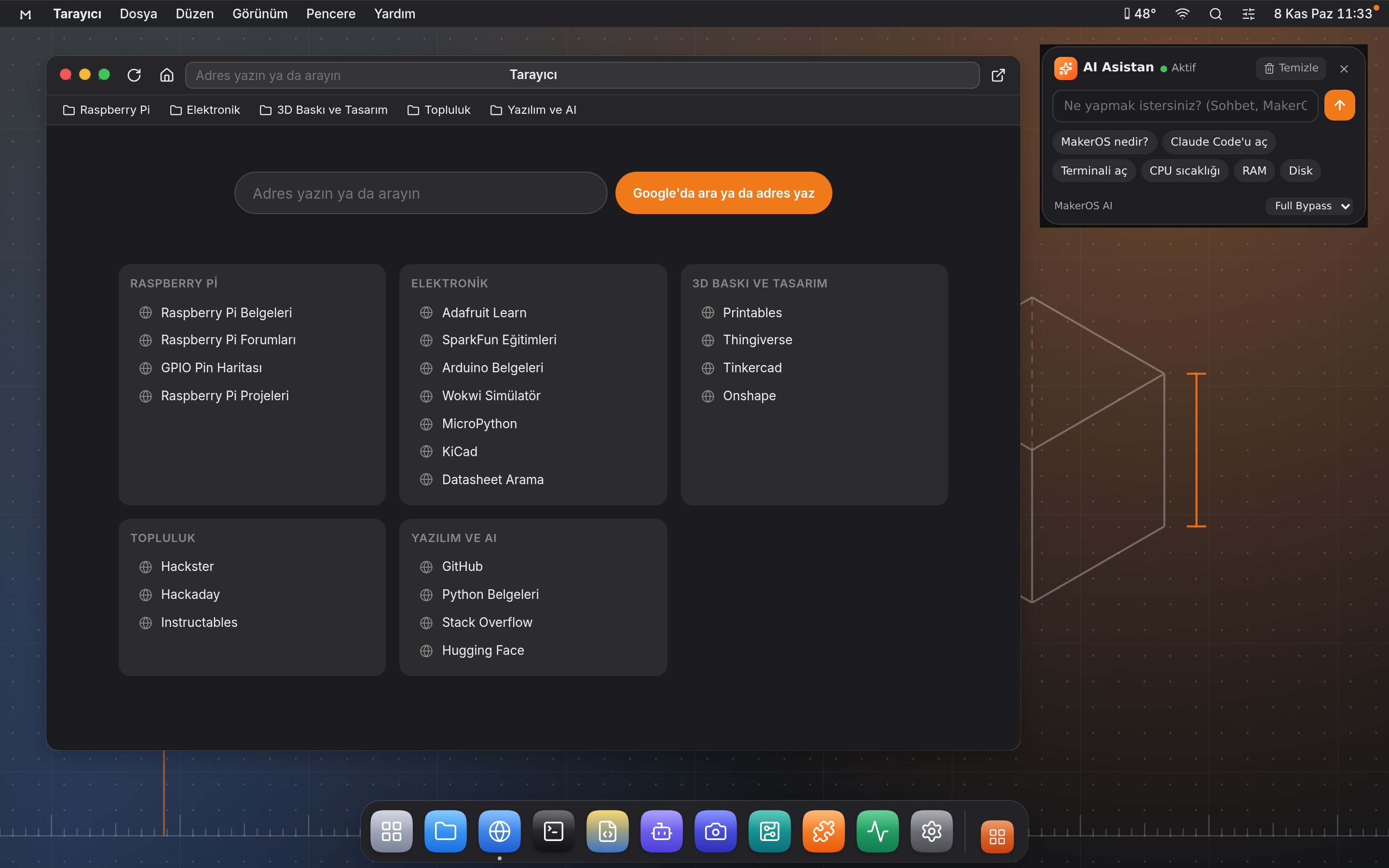
ÖzelliklerFeatures
Hazır bir dağıtıma giydirilmiş tema değil.Not a theme on top of someone else's distro.
Önyükleme zincirinden masaüstüne kadar her katman MakerOS için tasarlandı: anlaşılır, değiştirilebilir ve hafif.Every layer, from the boot chain to the desktop, is built for MakerOS: understandable, hackable and lightweight.
Sağlam tabanSolid foundation
Buildroot + Linux 6.18 (ARM64), salt okunur EROFS kök dosya sistemi, imzalı RAUC paketleriyle A/B güncelleme.Buildroot + Linux 6.18 (ARM64), read-only EROFS root, A/B updates with signed RAUC bundles.
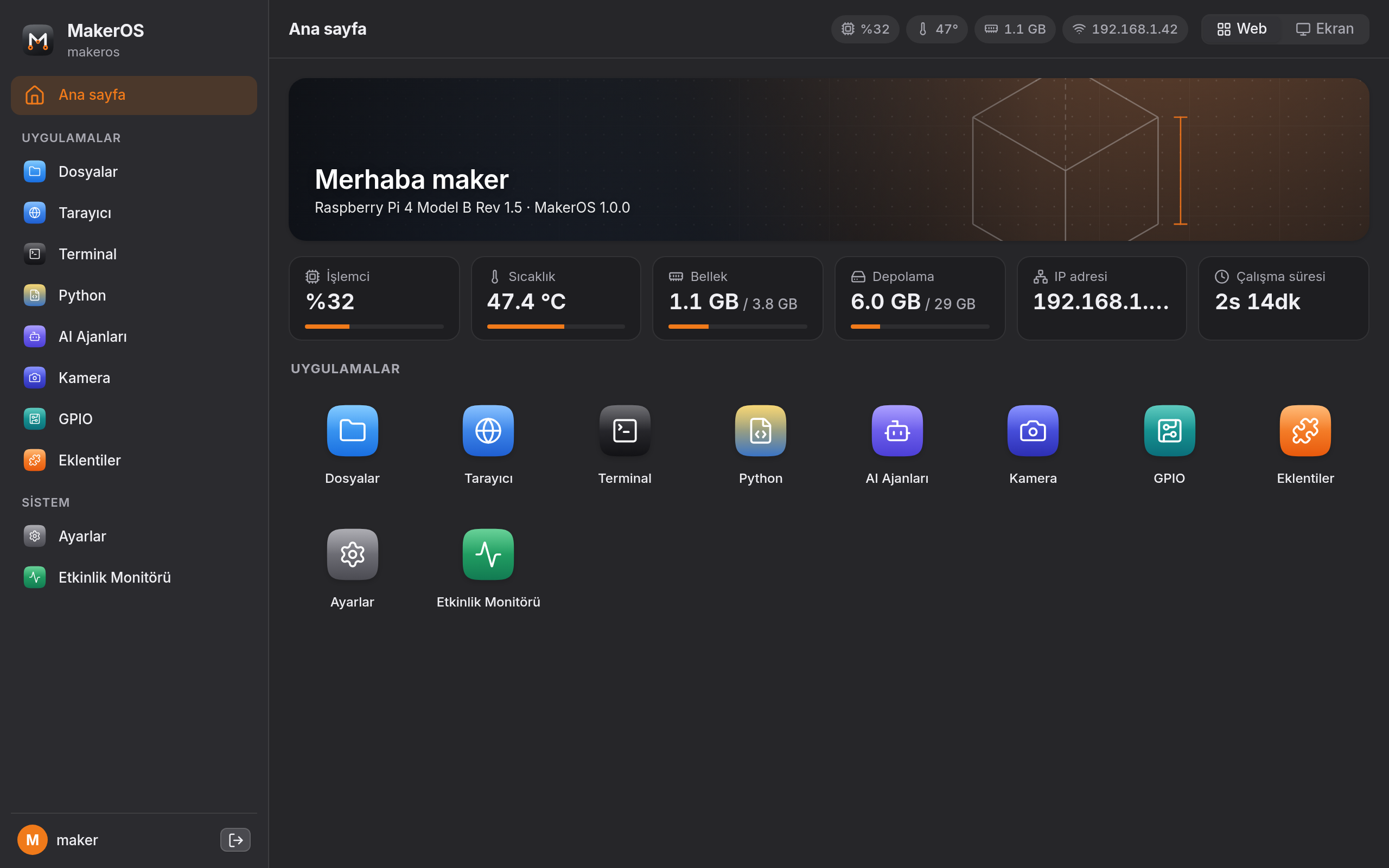
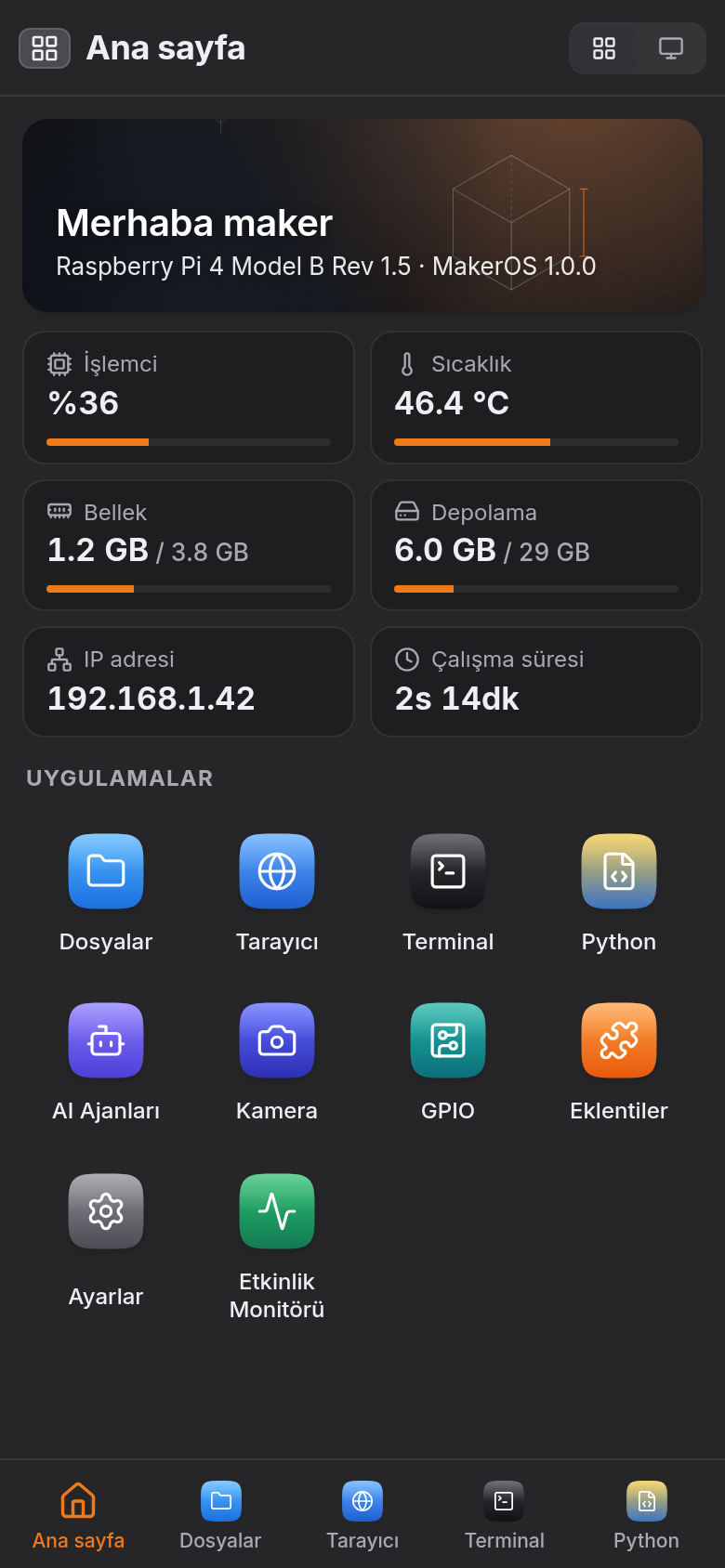
Her yerde aynı masaüstüOne desktop, everywhere
Kartın ekranında, ağdaki bir bilgisayarda ya da telefonda aynı pencereli deneyim.The same windowed experience on the board's display, any computer on your network, or your phone.
Rust sistem servisleriRust system services
makerd ailesi: HTTP/WS API, ayrıcalık ayrımı, PTY terminal ve kullanıcı süreçleri.The makerd family: HTTP/WS API, privilege separation, PTY terminal and user processes.
Yerel AI asistanıOn-device AI
Qwen2.5 + llama.cpp ile internetsiz çalışan Türkçe asistan; komutlar sizin izninizle çalışır.Qwen2.5 + llama.cpp, fully offline; commands run only with your permission.
Python ve otomasyonPython & automation
uv tabanlı proje yöneticisi, hazır şablonlar, Otomatik Başlatma ve Cron zamanlayıcı.uv-based project manager, ready templates, Autostart and Cron scheduling.
Donanım ve kameraHardware & camera
40 pinli GPIO canlı kontrolü, I²C, SPI, UART; CSI ve USB kameralar için canlı akış.Live 40-pin GPIO control, I²C, SPI, UART; live streaming from CSI and USB cameras.
Teknoloji kullanıcıya ne yapacağını söylememeli; kullanıcının ne yapabileceğini genişletmeli. Technology should not tell you what to do — it should expand what you can build.
- ÖzgürlükFreedom
- BasitlikSimplicity
- ÜretkenlikCreation
- ŞeffaflıkTransparency
- ErişilebilirlikAccessibility
KurulumSetup
Tek komutla karta yazın.Flash the card with one command.
Betik en son imajı indirir, doğrular, yalnız harici diskleri listeler ve seçtiğiniz microSD karta yazar. İsterseniz Wi-Fi bilgilerinizi de ekler.The script downloads the latest image, verifies it, lists only external disks and writes to the microSD card you pick. It can add your Wi-Fi details too.


Terminal'i açın (macOS: Spotlight'ta "Terminal" yazın) ve şu satırı yapıştırıp Enter'a basın:Open Terminal (macOS: type "Terminal" in Spotlight), paste this line and press Enter:
sh -c "$(curl -fsSL https://raw.githubusercontent.com/ferhatozcelik/maker-os/main/flash.sh)"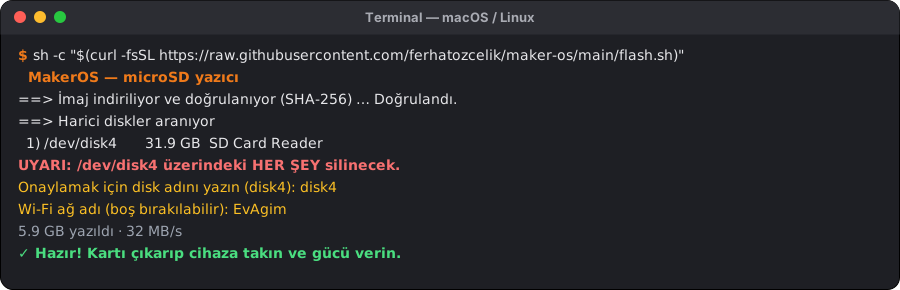
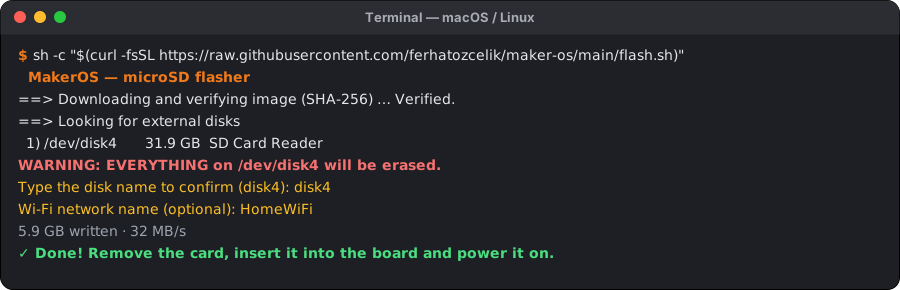
Yönetici parolanız istenebilir. Betiği indirip incelemek isterseniz: flash.shYou may be asked for your password. To download and inspect the script: flash.sh
En kolayı: flash.cmd dosyasını indirip çift tıklayın ve yönetici iznini onaylayın. Ya da Başlat menüsünde PowerShell'e sağ tıklayıp Yönetici olarak çalıştır'ı seçin ve yapıştırın:Easiest: download flash.cmd, double-click it and allow administrator access. Or right-click PowerShell in the Start menu, choose Run as administrator and paste:
irm https://raw.githubusercontent.com/ferhatozcelik/maker-os/main/flash.ps1 | iex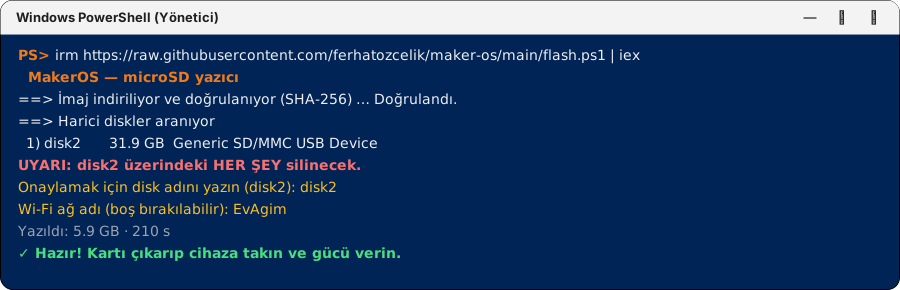
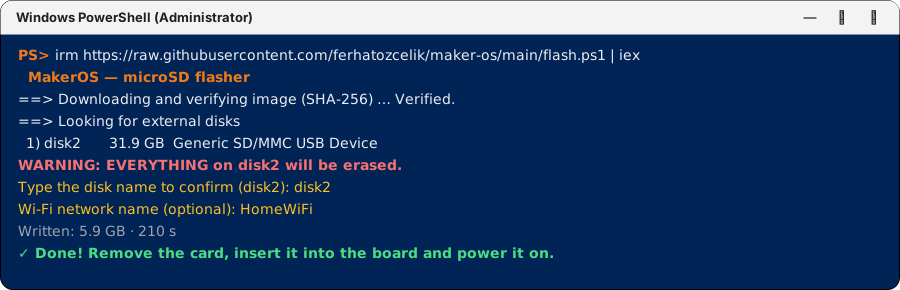
Yazma bittikten sonra Windows kartı biçimlendirmeyi önerirse İptal'e basın. Betik: flash.ps1If Windows offers to format the card after writing, click Cancel. Script: flash.ps1
Kartı seçinPick the card
Yalnız harici diskler listelenir. Bilgisayarınızın diski asla gösterilmez; disk adını yazarak onaylarsınız.Only external disks are listed. Your computer's disk is never shown; you confirm by typing the disk name.
BaşlatınBoot
Kartı cihaza takıp gücü verin. İlk açılış bir iki dakika sürer.Insert the card and power on. The first boot takes a minute or two.
BağlanınConnect
http://maker-os.local/, USB-C ilehttp://10.42.0.1/; ağ yoksaMakerOSWi-Fi'ı.http://maker-os.local/,http://10.42.0.1/over USB-C, or theMakerOSWi-Fi.Oturum açınSign in
Varsayılan hesap
makeros/makeros; parolayı Ayarlar › Kullanıcı'dan değiştirin.Default accountmakeros/makeros; change it in Settings › User.
Bilgisayarınızı yeniden kendiniz için tasarlayın.Design your computer for yourself again.
Açık kaynak, MIT lisanslı. Katkılara, eklentilere ve fikirlere açık.Open source and MIT licensed. Open to contributions, plugins and ideas.